Case Study · 2025
← Back to WorkAI Figma Plugin
A prompt-driven Figma plugin that generates production-ready UI components from natural language. Synced 1:1 with the coded design system so anyone on the team can design on-brand without being a designer.
Role
Designer & developer
Users
PMs, engineers, marketing
Timeline
2025
Stack
Figma Plugin API, TypeScript, Claude API
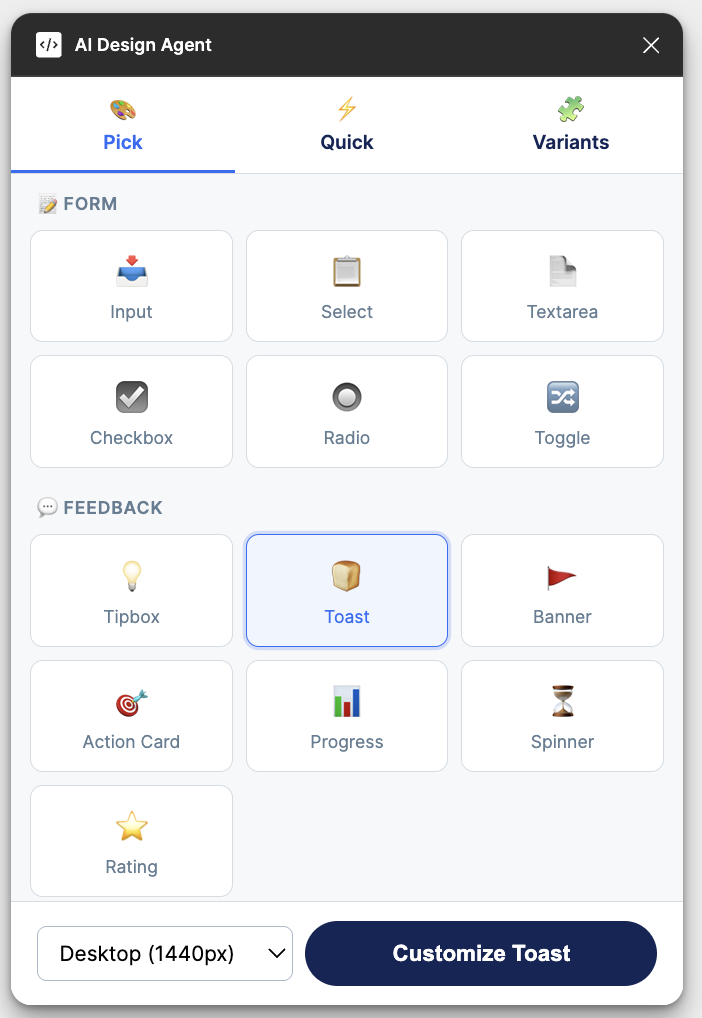
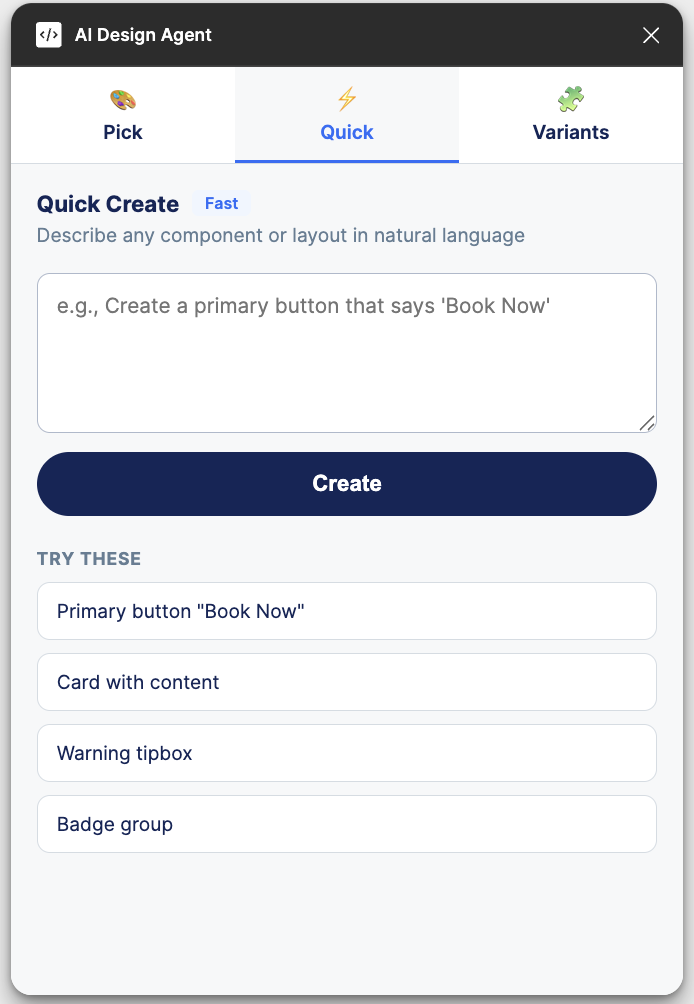
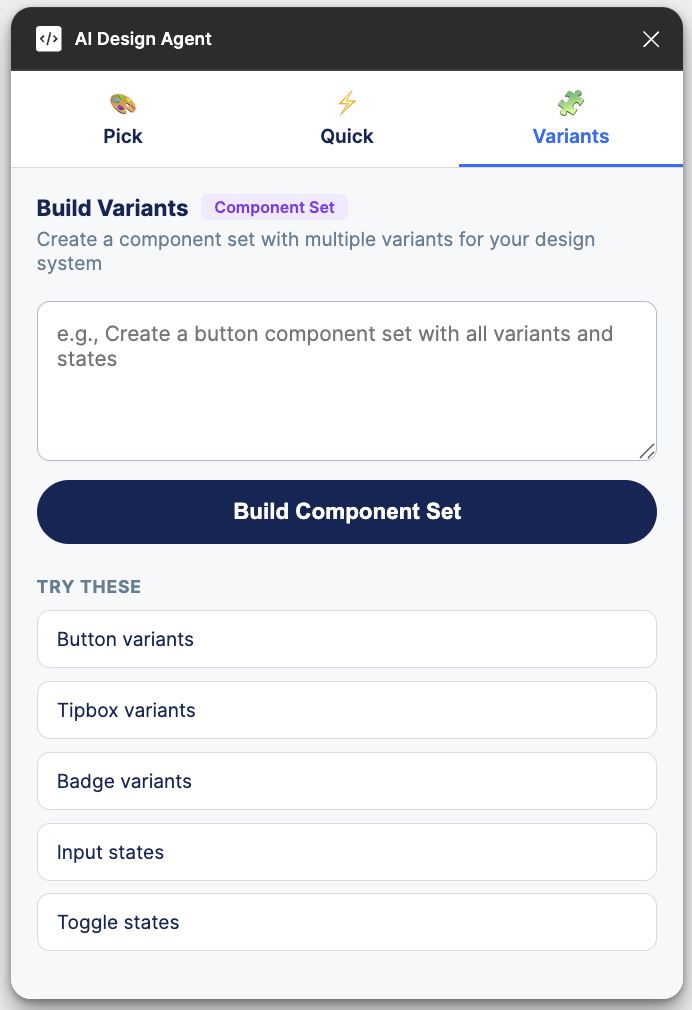
As the sole designer, I'm a bottleneck. PMs need mockups for stakeholder alignment. Engineers need component specs for edge cases. Marketing needs landing page layouts. Every request flows through me.
The question: what if anyone could generate an on-brand Figma component by describing what they need in plain English? Not a generic AI design tool, but one that knows our exact design system: our tokens, our component library, our visual language.
So I built it.
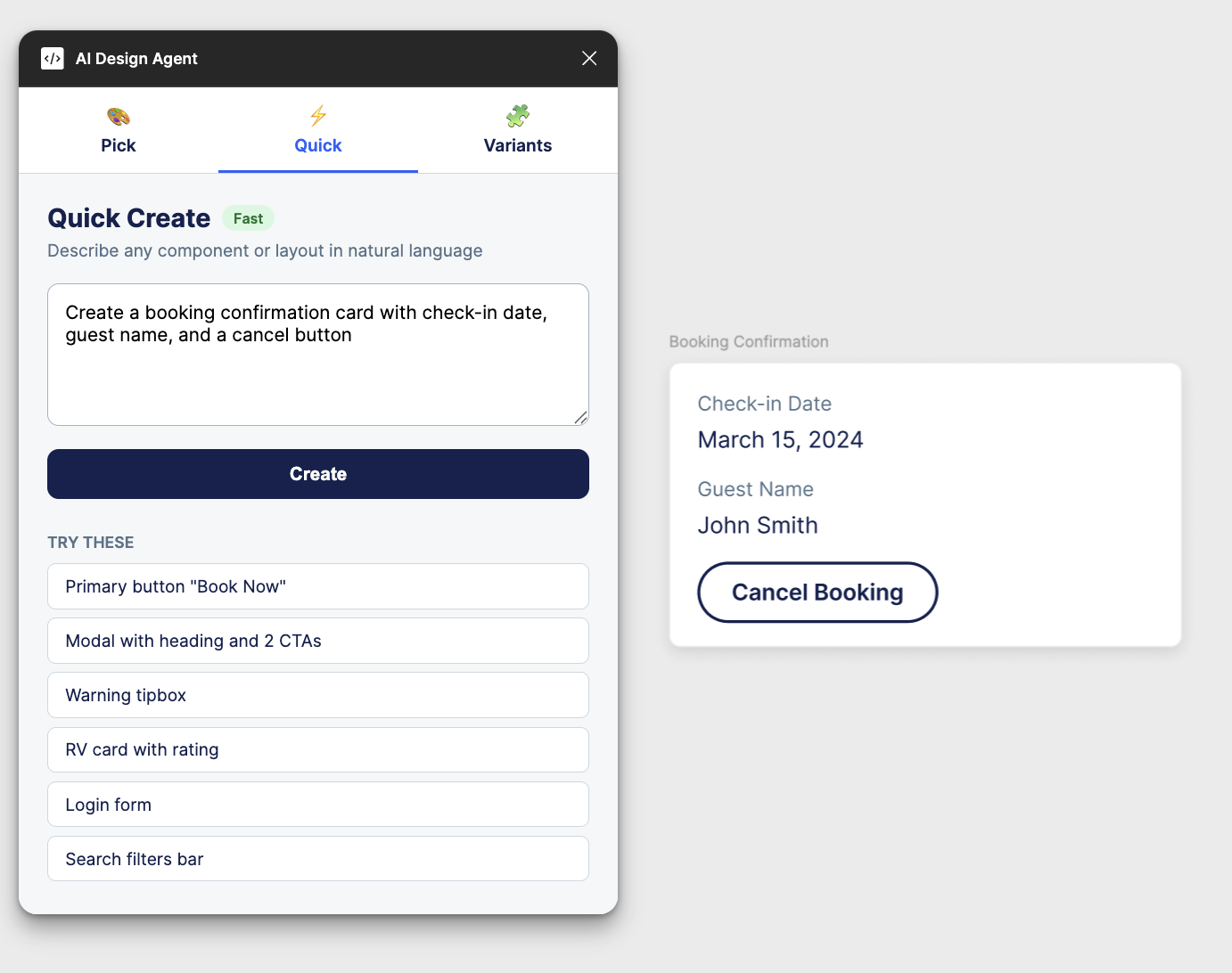
Describe
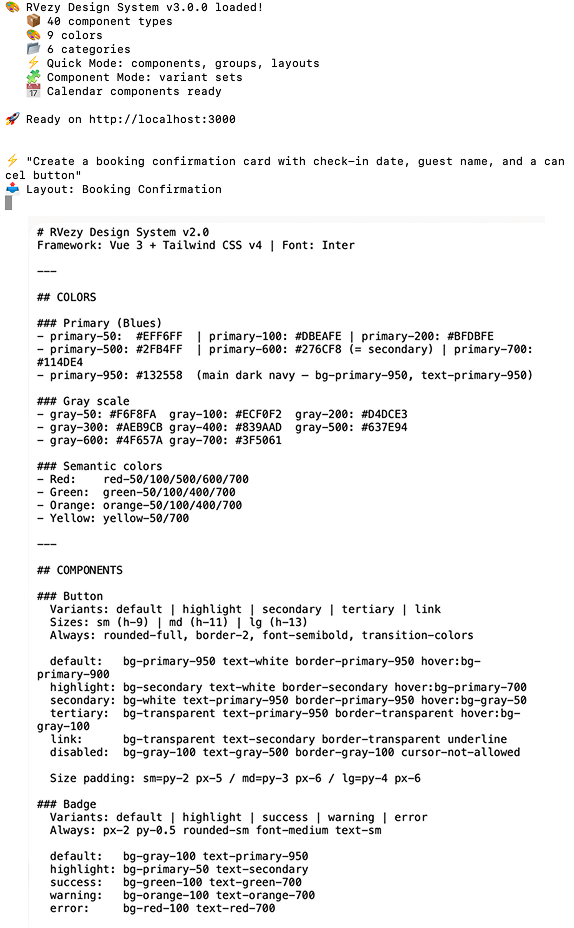
User types a natural language prompt: "Create a booking confirmation card with check-in date, guest name, and a cancel button"
Generate
Claude processes the prompt against the component registry. It matches existing patterns, applies the correct tokens, and generates Figma-native output.
Render
The component appears directly on the Figma canvas with the correct colors, typography, spacing, and auto-layout. It's editable like any native Figma element.
Component registry
The plugin's intelligence comes from a comprehensive registry of 90+ components, each documented with properties, variants, color mappings, spacing rules, and usage context. When Claude receives a prompt, it matches against this registry to determine which components to compose and how to configure them.
Claude API integration
Prompts are sent to Claude's API with the full component registry as context. The response is structured JSON that maps directly to Figma's plugin API calls, such as createFrame, createText, and setFills. This isn't screenshot-to-code; it's semantic generation of native Figma objects.
Multiple interaction modes
The plugin supports different workflows: quick generation from a prompt, iteration on an existing selection ("make this button larger and add an icon"), and a chat mode for collaborative exploration of design options.
1:1 code sync
Because the registry is derived from the same Tailwind config that powers production, generated components use the exact same tokens. What you see in Figma is what gets built. No translation layer, no drift.
Why build instead of buy
There are plenty of AI design tools. None of them knew our design system. They produce generic interfaces that look plausible but would need to be redrawn with our tokens, components and patterns before anyone could use them. The value wasn’t AI generation in general; it was generation constrained to our system.
Building it myself also meant the tool could evolve as fast as the system did, without waiting on a vendor’s roadmap.
Designing the prompt experience
For non-designers, a blank prompt box is intimidating. I designed the plugin around examples: starter prompts for common needs, suggestions based on the current selection, and output that lands on the canvas as normal, editable layers. If a result is close but not right, people iterate in plain language instead of starting over.
Teaching AI to stay on-system
- Invented components. Early versions occasionally made up components or colors that didn’t exist. Constraining generation to the registry, and validating every response against it before rendering, solved most of this.
- Figma’s API realities. Fonts have to load before text can render, and auto-layout behaves differently when built programmatically. Much of the engineering time went into making output feel hand-built rather than generated.
- Keeping the registry current. A stale registry produces stale designs. Deriving it from the same Tailwind config that powers production means the plugin updates when the system does.
Getting the team to actually use it
A tool nobody opens doesn’t scale anything. I introduced the plugin through short live demos with product managers and engineers, using real requests from their backlogs rather than toy examples, so the first thing people saw was a component they genuinely needed.
For the first few weeks I ran informal office hours and kept a running list of prompts that failed. Those failures were the most valuable feedback in the project: each one pointed to a gap in the registry, a missing variant, or an instruction that needed to be more explicit. Fixing them improved the plugin and the design system at the same time.
We also agreed on a simple guardrail. Anything generated with the plugin that was headed for production still came through design review. The plugin removed the waiting, not the judgement, which made it much easier for the team to trust it.
What I learned
The project changed how I think about my role. As the only designer, my leverage comes less from the screens I make and more from the systems that let other people make good decisions without me. A design system documents those decisions; this plugin puts them in everyone’s hands.
Impact
Scaling design beyond the designer.
This plugin doesn't replace the designer. It scales design thinking to the whole team. PMs can mock up ideas before requesting design time. Engineers can generate specs for edge cases. The design system stops being a reference doc and becomes a generative tool.
90+
Components in the registry with full metadata
3
Interaction modes: generate, iterate, explore